
For example, you may be integrating with a new service and want to understand what data it really sends. The documentation may include a sample payload, but the real request often contains important details: the method, headers, body format, nested fields, identifiers, signatures, timestamps, and event type.
For this kind of check, setting up a separate server is often unnecessary. You do not always want to write a handler, configure logging, and decide how to format the incoming request. Sometimes the task is much simpler: give the service a URL, send a test webhook, and see what arrives.
Adal is built for this scenario.
You create a Server, get a permanent URL, and use it in the external service's webhook settings. When the webhook arrives, Adal stores the request and shows it in the interface: method, path, headers, body, request size, and other details.
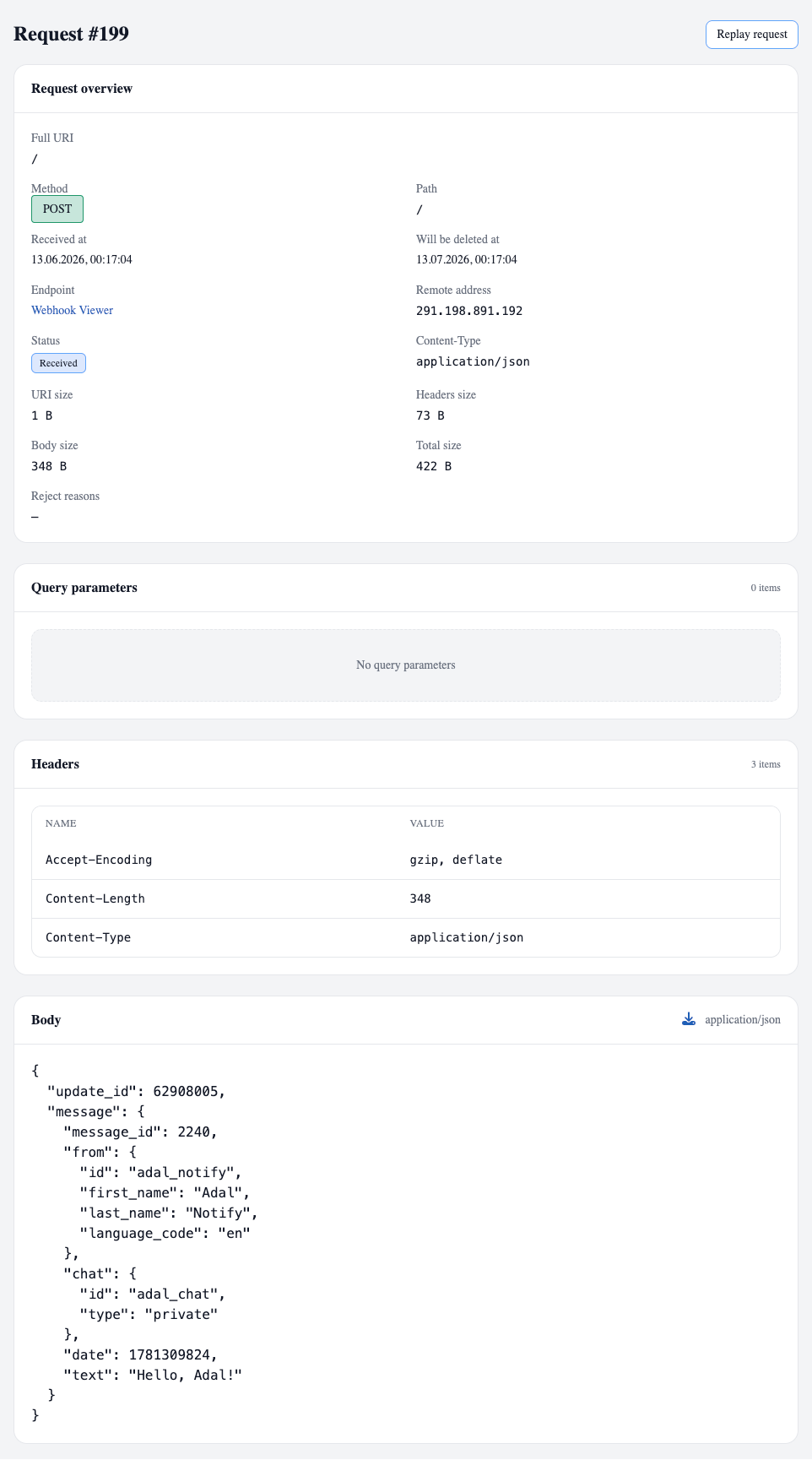
This is useful during the first stages of an integration, while debugging, or when testing assumptions. You can quickly see what the service actually sends, compare the real request with the documentation, and decide how your application should handle that data.
When this is useful
This scenario is especially useful when you:
connect a new service and want to inspect a real webhook before writing a handler
check whether the actual payload matches the documentation
configure Stripe, GitHub, Slack, Dodo Payments, or another service that sends webhook events
need to quickly inspect headers, body, method, path, and other request details
debug an issue and want to confirm whether the webhook reaches your Server URL at all
save a real request example for future development
show a webhook to a teammate without forwarding logs or manually formatting the request
test different events and compare how their payloads differ
This does not replace full backend processing. But it solves a common first step: seeing the real webhook without extra infrastructure.
Adal does not try to guess what you expected to receive. It simply accepts the request, stores it, and shows it in a way that is easy to inspect.