
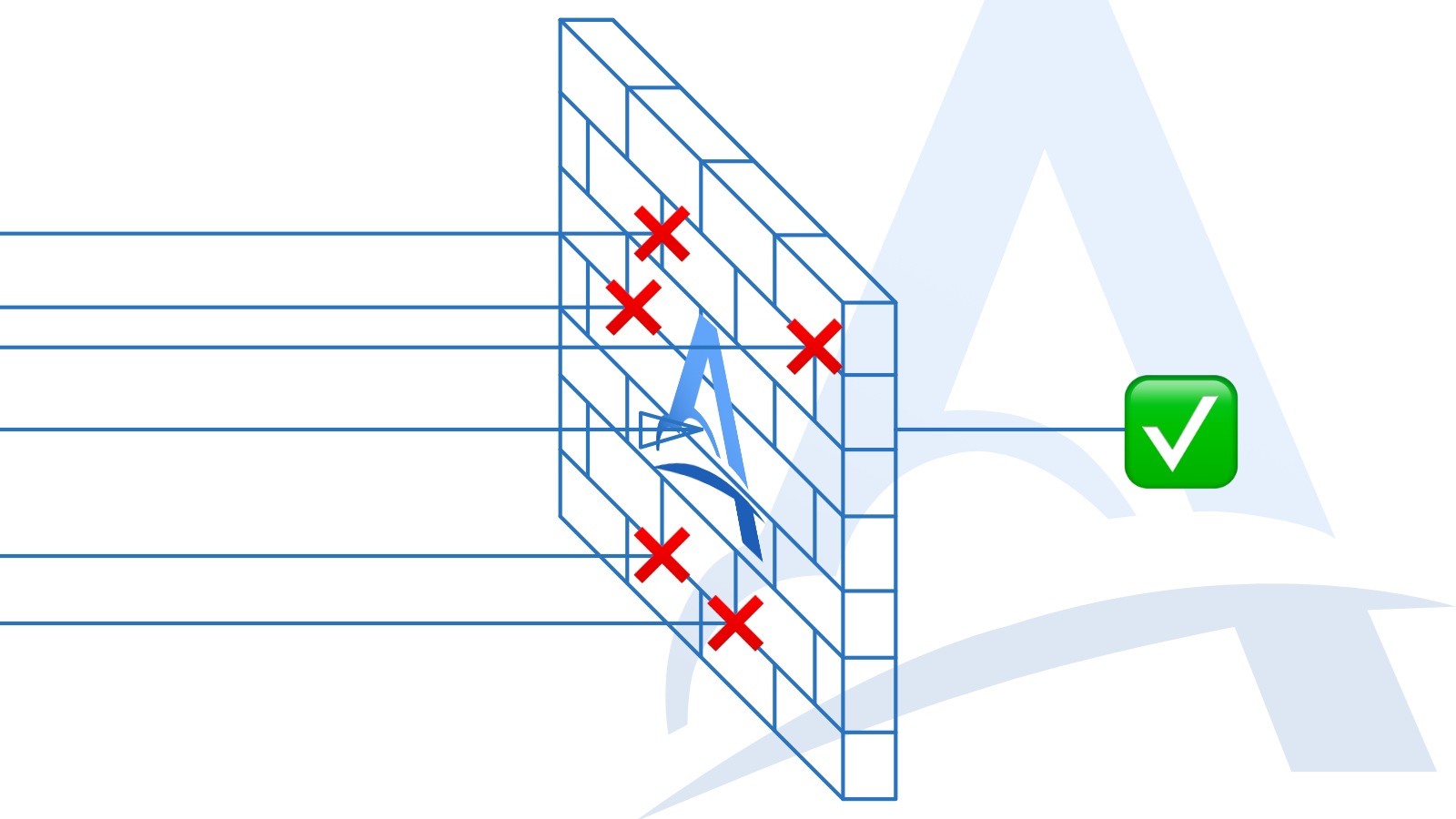
What happens when a service is only available intermittently, the connection between two systems is unreliable, or network rules prevent them from communicating directly?
This can happen for many reasons:
network routes fail intermittently;
an ISP filters certain types of traffic;
an internal service cannot accept inbound connections;
corporate network settings are difficult or impossible to change;
the webhook destination frequently goes offline.
In these situations, Adal acts as a reliable transport layer. It receives and stores each webhook, then delivers it to the destination as soon as that destination becomes available.
Adal is not designed to bypass network restrictions or security policies. Its purpose is to provide reliable webhook delivery between services with limited or unstable connectivity. Always make sure that its use is approved by your network owner or system administrator.
How Adal works
After signing up for Adal, create a new Server in the Servers section. Adal will assign it a permanent HTTPS URL that you can use as the webhook URL in the sending service.
Whenever a request arrives at this URL, Adal:
receives and stores the webhook;
makes it available for inspection and auditing;
forwards it to the configured destinations;
retries the delivery if necessary.
You can add one or more recipients in the Destinations section. Adal supports two delivery methods: Adal CLI and Direct HTTP.
Delivery through Adal CLI
Adal CLI is an open-source application that runs on your own computer or server. It is available for most popular operating systems and processor architectures.
Once started, Adal CLI establishes a persistent, encrypted outbound WebSocket connection to Adal and waits for incoming webhooks. When your Adal Server receives a request, it sends the webhook to the CLI application, which forwards it to the local URL you configured.
For example, you can deliver webhooks to:
an application running on a developer’s computer;
a test server inside a private network;
an internal service without a public IP address;
an application behind NAT or a corporate router.
There is no need to open inbound ports, configure port forwarding, or obtain a public IP address. Adal CLI establishes the connection itself, so the network sees it as outbound traffic.
If the local destination is temporarily unavailable, Adal automatically retries the delivery. The number of attempts can be configured separately for each destination.
If all automatic attempts are exhausted before the destination comes back online, you can restart the delivery manually. Manual redelivery remains available for as long as the original webhook is stored in Adal.
Delivery through Direct HTTP
Direct HTTP is useful when the receiving service is available from the internet, but a direct connection between the sender and receiver is unreliable or cannot be established.
In this mode, Adal receives and stores the webhook, then forwards it directly to the configured HTTPS URL. The request is delivered as received, with one intentional change: Adal identifies itself in the User-Agent header. This keeps the delivery process transparent and helps investigate reports of unwanted or malicious traffic.
The receiving service must have a public URL that Adal can reach over the internet. If the URL is temporarily unavailable, Adal retries the request according to that destination’s retry settings.
If the destination remains offline after all automatic retries have been used, the webhook is not immediately lost. You can manually restart its delivery at any time while it remains within its Adal retention period.
For example, imagine that a payment provider sends a notification while your webhook handler is offline. Adal accepts and stores the notification, then makes the configured number of delivery attempts. If your handler does not recover in time, you can trigger another delivery manually once it is back online.
Storage and manual redelivery
Adal stores every received webhook for a defined retention period. During that time, you can:
inspect its contents;
use it for auditing and troubleshooting;
send it again to one or more destinations;
manually restart a failed delivery after the destination recovers.
Manual redelivery is available regardless of how many automatic attempts have already been made. The only requirement is that the webhook must still be stored in Adal.
Once the retention period expires, the webhook is permanently deleted and cannot be recovered or delivered again.
Webhook data is stored in encrypted form and is available only to the user who owns the corresponding Server. Adal does not sell, disclose, or use webhook contents for any unrelated purpose. The data is processed only to store it and deliver it to destinations configured by the user.
The result
Adal separates receiving a webhook from processing it. If the final destination is temporarily unavailable, the incoming request does not have to be lost: Adal receives it, stores it, and performs the configured delivery attempts.
If the automatic retries are not enough, you can restart the delivery manually while the webhook remains stored in Adal.
Use Adal CLI when the receiving service is inside a private network or does not have a public IP address. If the service is reachable from the internet, use Direct HTTP.