
Recipient model
A Channel belongs to the account and contains Endpoints. An Endpoint defines one recipient URL. A Channel is not owned exclusively by one Server: Routers establish Server connections. Older Destination links refer to this topic.
Direct and CLI
| Channel type | Where HTTP executes | Recipient address |
|---|---|---|
| Direct | In the request's receipt region | Reachable from the region |
| CLI | On the computer running Adal CLI | Local or reachable from that computer |
The type applies to the whole Channel. Use different Channels for different mechanisms. Direct forwards an incoming webhook; independent Outbound API submissions are configured separately.
Create a Channel and Endpoints
Open Inbound → Channels, form
/inbound/channels/new.Select Direct or CLI, set a name and optional notes, then choose Create channel.
In the resulting details, choose Add endpoint under Endpoints.
Enter a URL and check interval, idempotency and Enabled.
Choose Save endpoints. The Channel settings Save button does not save the Endpoint list.
A new Channel has no Endpoints. Channel settings and recipients are saved through separate forms.
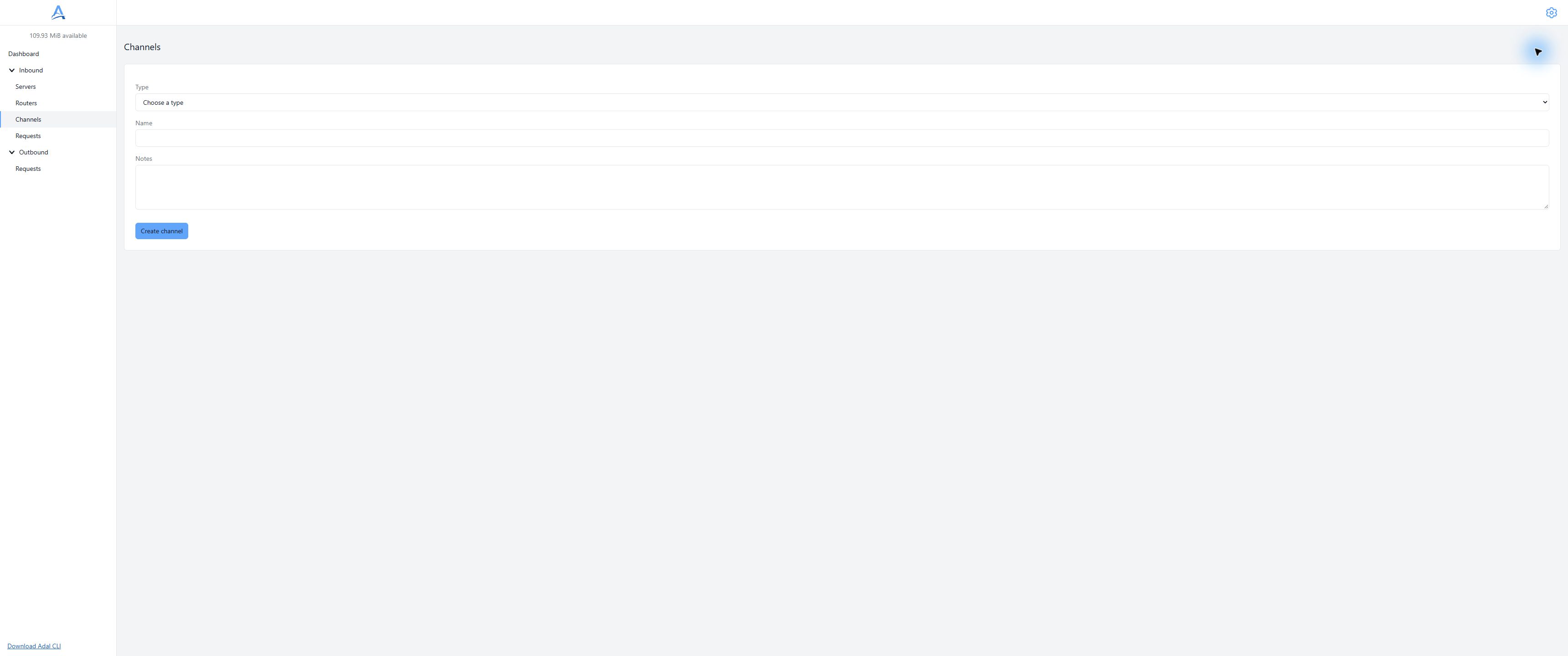
Create a Channel. Add Endpoints in a separate panel after creation. Demonstration dashboard, English interface. Open full-size screenshot.
CLI settings
CLI accepts a local URL such as http://127.0.0.1:3000/adal. It must be reachable from the CLI process, not the browser or region. Deliver backlog controls new backlog delivery after client absence; jobs already saved by CLI resume through its journal.
Issue a separate secret in this Channel's CLI token panel and run Adal CLI. An account API token cannot replace it.
Direct settings
Use an HTTPS recipient URL reachable from the region. Local, private and service addresses are forbidden for Direct, including localhost. Use CLI for local development. See Direct.
Connect Servers
Create an enabled Router, selecting Servers and Channels. Creating a Channel alone does not enable delivery from a particular Server. One Channel can receive requests from several Servers.
What is forwarded
Delivery appends the incoming path to the Endpoint base path and transfers the incoming query separately. Query parameters in the base URL are forbidden for both types, including an empty trailing ?. Transport headers are adapted for the new HTTP connection: do not expect byte-for-byte equivalence of the complete network packet or the original Host.
Outcomes and retries
Each enabled Endpoint has independent attempts. One succeeding does not complete the others. Delivery interval (ms) is a delivery interval, not a configurable retry schedule. See the shared retry rules; recipient states remain independent.
History
Open a Channel under Deliveries in incoming request details. Inspect that Endpoint's URL, state and attempts. A historical URL can differ from current Channel settings: the report describes execution of a saved job.
Edit and delete
Save endpoints replaces the desired set: removing and saving a row removes its Endpoint, and saving an empty set removes them all. Review the entire list before saving. Editing or deleting is not a command to restart finished requests or a guarantee to cancel an HTTP call already started.
Changing type validates saved URLs. CLI → Direct revokes the CLI secret; changing back does not issue a new one automatically. A Channel referenced by a Router cannot be deleted (channel_in_use): remove the connections first. Confirming Channel deletion removes its Endpoints and secrets.
Idempotency-Key
Add an idempotency key adds Idempotency-Key containing request_id to every attempt. The recipient must implement key handling and protection against duplicate business effects. The flag does not guarantee an exactly-once effect.
Secrets and addresses
URLs, paths, notes and HTTP data can expose sensitive configuration. Keep real secrets out of documentation. Verify provider signatures in your application; Channel configuration does not do that for you.
Boundaries
A new Endpoint starts receiving new requests from its connection time; this is not a historical import. Do not assume new settings apply retroactively to an already accepted request. Check each new test on a separate request.
Troubleshooting
Check the type, saved Endpoint, Enabled, Router and URL. endpoint_query_not_allowed means a query in the base URL; Direct local_address means a local address. A URL error during type change requires correcting an incompatible saved URL, not repeating an unchanged save.
Next
Routers, Direct, CLI, quickstart.