
Inbound journal
Open Inbound → Requests (/inbound/requests). The journal shows calls to your Servers; independent outgoing jobs belong to Outbound. A dashboard session is sufficient for viewing it; no separate API token is needed.
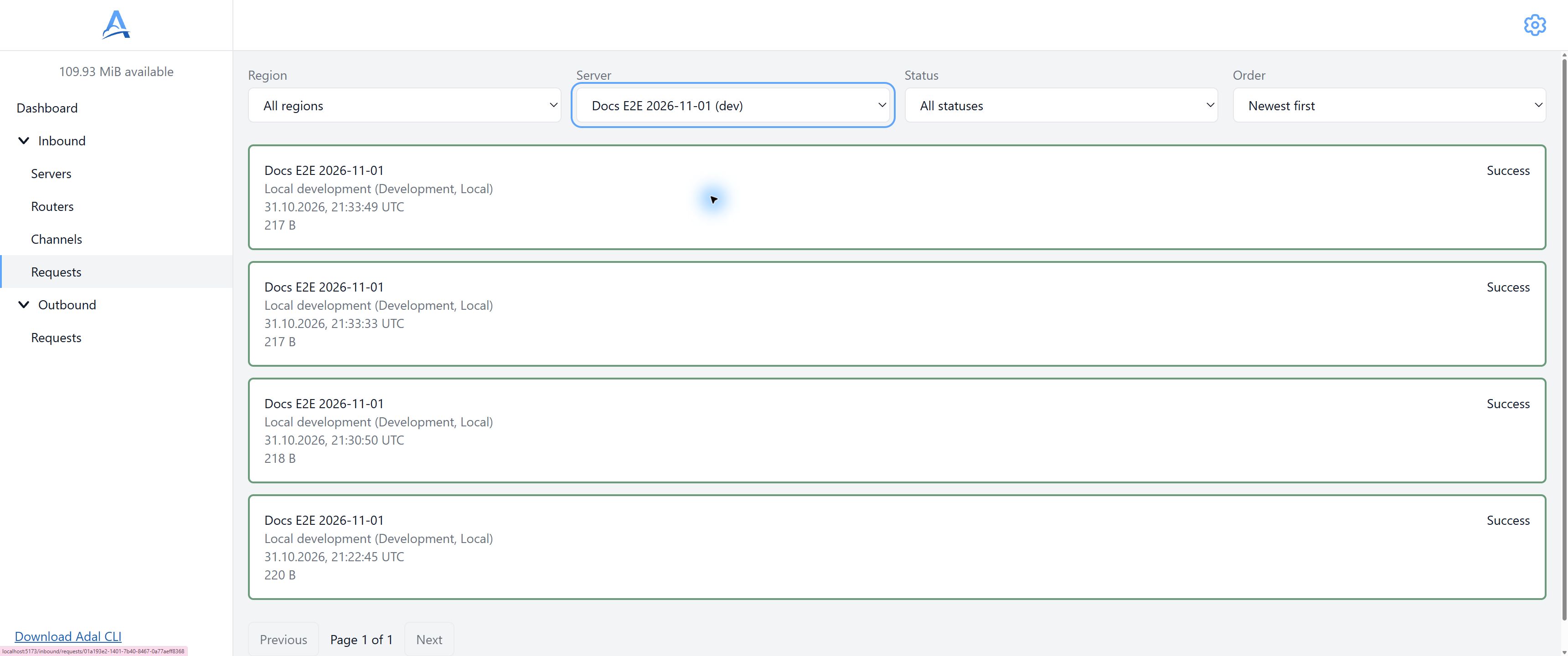
Journal filtered by a test Server. Open a record to inspect its recipients and attempts. English interface. Open full-size screenshot.
Lifecycle
Intake and delivery are different stages. A request without recipients can remain received; unfinished recipients produce delivering. Completed outcomes can be success, partial or failed. A rejected request has status rejected and is not forwarded to recipients.
An old delivering record does not establish success or automatic cancellation. Read the card's status rather than deriving it from age or one attempt.
Metadata and HTTP data
Details show the identifier, time, Server, region, size, status and deletion deadline. Where content is available, the HTTP block displays method, path/query, headers and body. Body presentation depends on Content-Type; unsupported formats may have no preview.
Accepted and rejected
An accepted request can have a delivery even if the sender's client did not receive its expected response. A rejected request does not load HTTP content; a known rejection reason is shown for method, IP, Content-Type or quota. A missing reason does not make it accepted.
A configured 202 to the sender confirms the intake path, not a recipient business result. On technical failure, inspect the journal before resending the event.
Find and inspect a request
Select the region, Server, status and time order in the journal.
Open the relevant row and copy Request ID if needed.
Inspect metadata and the HTTP block. Download retrieves an available body; no preview does not always mean no body.
Open the relevant Channel in Deliveries for details.
Filters and page are stored in the URL. Changing a filter returns to the first page. An empty list may mean no filter matches rather than no requests at all.
Recipients and attempts
Deliveries shows the Channel, transfer state and counts of pending, successful and failed Endpoints. Channel details show individual Endpoints, URLs and attempts: number, result, duration, HTTP status, error and queue waiting where available.
An intermediate failure with attempts remaining stays Delivering, not terminal Failed. Disabled Endpoints are marked separately. Historical URLs describe the delivery snapshot and can differ from today's Channel URL. Reports do not update automatically: reopen the page for new state; Try again after a read error repeats the read, not the HTTP delivery.
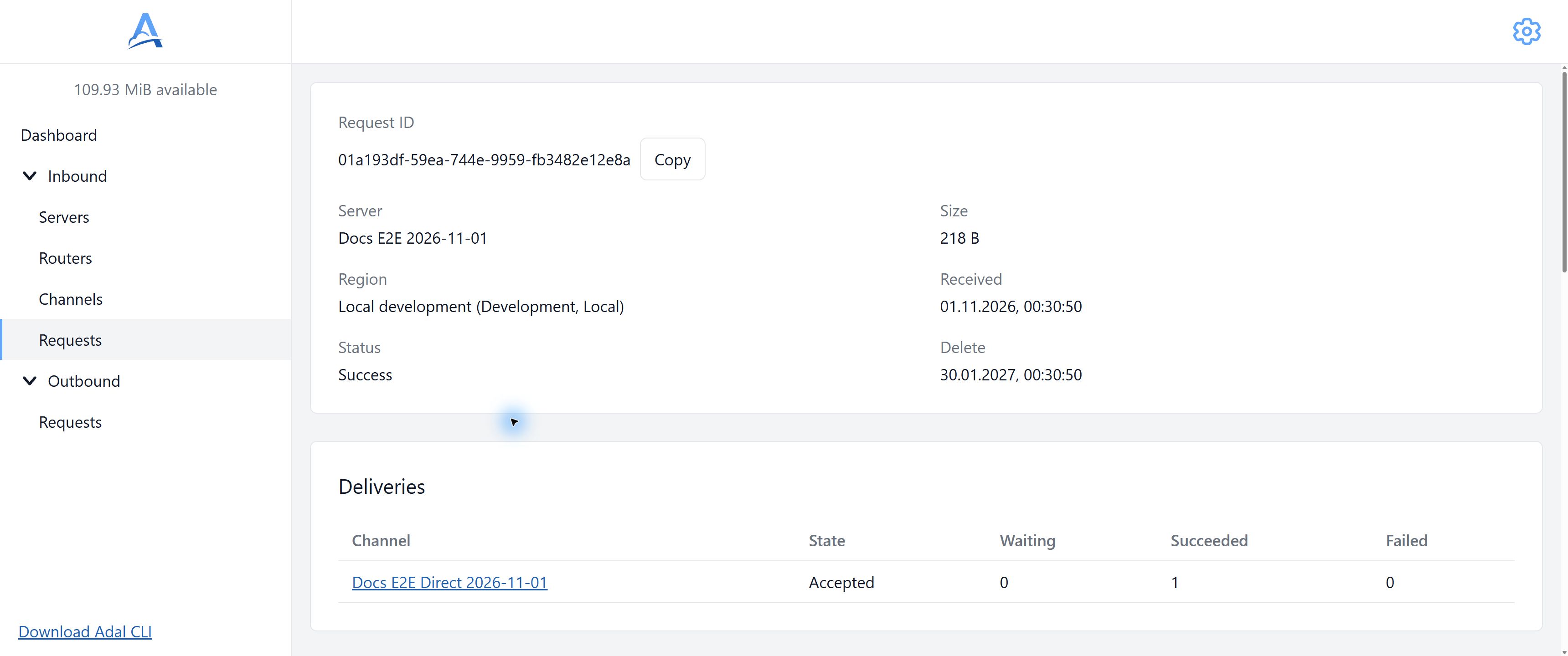
Demonstration request after Direct delivery: overall Success and one successful recipient. Accepted in the Channel row means the executor accepted the assignment. English interface. Open full-size screenshot.
Replay
The current dashboard has no manual replay or selected-delivery restart command. A new test event creates a new request; it can repeat an external effect and should not be sent to a production handler without understanding the consequences.
Duplicates
A failed attempt does not prove the recipient did nothing. Use the provider event identifier or an agreed key to deduplicate in your application. See Retries and idempotency.
Unavailable content
After expiry, the card can remain in the journal while HTTP data displays Request data is no longer available. This does not reverse execution history. A temporary regional read failure differs from expiry; see Storage.
Security
Bodies, headers, query and recipient addresses can contain secrets. Give support an identifier, time and safe error description; do not copy complete requests into public issues or screenshots.
Troubleshooting
Missing record: check the Server URL, region, filters and selected journal page.
receivedwithout delivery: check Routers and enabled Endpoints.Recipient failure: open the Channel and individual attempt, then check reachability from Direct or CLI.
Unreadable data: inspect the deletion deadline and regional error; do not create a new event just to retry reading.