
Purpose
A Router connects Servers to Channels: requests from selected Servers are forwarded to selected Channels. It defines relationships, not path/query filtering or HTTP transformations.
Create a Router
Prepare a Server and a Channel with a saved Endpoint.
Open Inbound → Routers, form
/inbound/routers/new.Enter a name, keep Enabled on, add a Server through Add server and a Channel through Add channel.
Review the selected items and choose Create router.
Send a new demonstration request and inspect Deliveries in its details.
At least one Server and one Channel are required. The name helps navigation but does not determine routing.
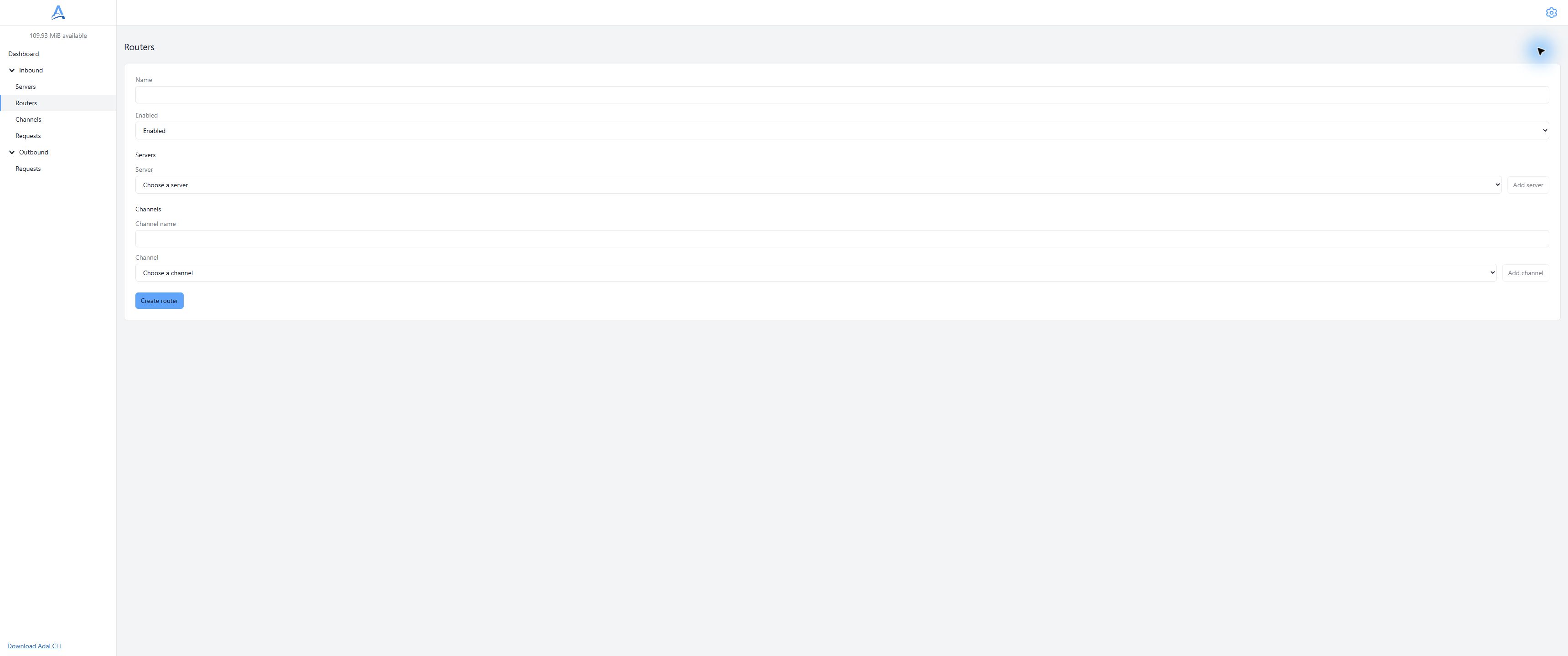
Connect the selected Servers and Channels using Add server and Add channel. Demonstration dashboard, English interface. Open full-size screenshot.
Multiple connections
A Router can connect multiple Servers to multiple Channels. A Server or Channel can participate in different Routers. Inspect the complete connection set if one request unexpectedly has several recipients.
Do not use multiple routes as a way to guarantee distinct independent business events. Deduplication and safe retry handling remain application responsibilities.
Edit and disable
Open the details, edit the relevant fields or selected items and save. Turning Enabled off preserves the connections; it does not delete a Server or Channel. Do not assume it guarantees cancellation of an accepted job or an HTTP call already started.
Check changed connections using a new request. Connecting a Channel does not mean replaying the Server's entire history; CLI backlog behavior also depends on Deliver backlog.
Delete
Confirming deletion removes the Router and its connections. Servers and Channels remain. Before deleting a Server or Channel, remove it from all Routers: disabled Routers still hold connections.
Troubleshooting
Verify that the saved route selects the test request's Server and intended Channel, the Router is enabled, the Channel has an enabled Endpoint, and the executor can reach the recipient. CLI must connect with the same Channel's secret. A configured route does not establish HTTP success.
Continue with Direct, CLI or the request journal.