
Where Direct executes
Direct delivers an incoming request to a connected Endpoint from its receipt region. Neither a browser computer nor CLI is needed for execution. This is not an independent Outbound API submission.
Prepare a recipient
Use a test HTTPS handler under your control, reachable from the region. Direct cannot use localhost, a private IP or a service address. Validation occurs at configuration and actual connection time; a name resolving to an internal address does not bypass it.
The handler must accept the resulting path after appending the incoming path to the base URL. For example, base https://receiver.example/adal and incoming /demo require /adal/demo. The .example address is illustrative: replace it with your own test URL. Query parameters in the base URL are forbidden.
Connect delivery
Create a Server in the intended region.
Create a Channel of type Direct.
Add an Endpoint with your test URL, keep Enabled on and choose Save endpoints.
Create an enabled Router connecting the Server and Channel.
Ensure that the test handler returns
2xx.
Send a new test
Copy the full Server URL from its details and set ADAL_SERVER_URL without a trailing slash. In Bash:
curl --silent --show-error --include \
  --request POST "$ADAL_SERVER_URL/demo?source=docs" \
  --header 'Content-Type: application/json' \
  --data-binary '{"event":"docs.direct","value":1}'
This JSON is demonstration data. A Server response does not prove delivery: open Inbound → Requests, find the request and open the Channel under Deliveries. Check Endpoint HTTP success and receipt of docs.direct at your handler.
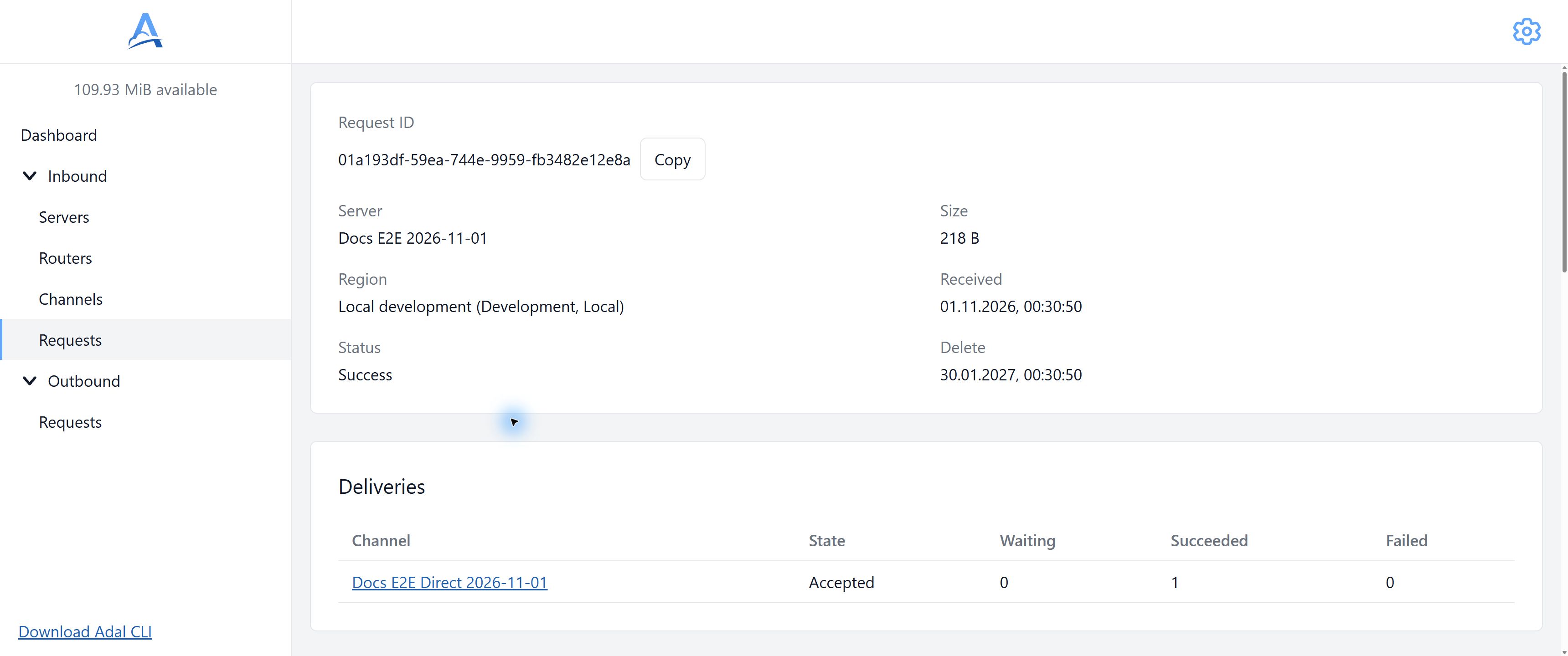
Test Direct delivery shown in the Inbound request card. Open the Channel from Deliveries to inspect individual HTTP attempts, and verify event receipt at your handler. English interface. Open full-size screenshot.
Check failure
For the test recipient only, temporarily return 503 and send a new demonstration event. Inspect its failure and subsequent attempts. Restore 2xx, wait for a due attempt under the schedule and reopen the report. Refreshing a page does not trigger an immediate retry.
Recipient HTTP call
Method, body, path and query follow delivery rules. Transport headers, Host and Content-Length are formed for a new connection; the client adds its service headers as well. Direct does not automatically follow HTTP redirects: configure the final handler URL, not a redirecting page.
If Endpoint idempotency is enabled, Idempotency-Key contains the accepted request identifier. The recipient must implement its own duplicate-effect protection.
Configuration changes
A new Endpoint does not receive the entire history preceding its connection. Resuming existing work and adding a new recipient are different cases. The history shows the recipient URL used for that delivery; editing a Channel does not rewrite history. Disabling a route does not guarantee cancellation of an HTTP call already started.
Troubleshooting
Check the full path, reachability from the region, HTTPS certificate, final HTTP status and absence of redirects. Use CLI for a local service. See retry rules for scheduling and attempt limits, and Storage for data availability.